
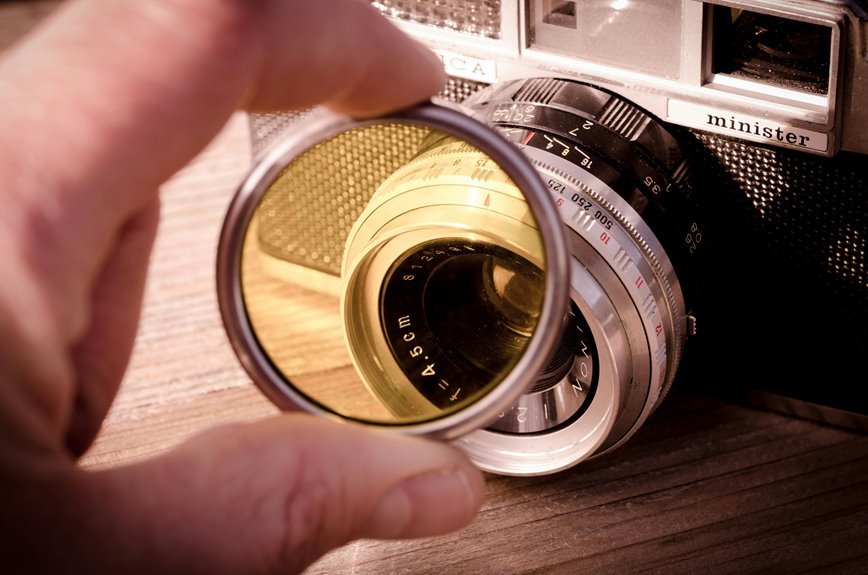

Filters shape light before it hits your sensor, often giving photos a cleaner look than editing alone. They can cut glare, hold detail in bright skies, tame harsh highlights, boost black-and-white contrast, and slow shutter speed for silky water or motion blur. Each filter creates a different mood, so your choice affects the feel of the final image. Here are seven practical ways filters can improve your photography.
What Camera Filters Do Best
Once you start using camera filters, you quickly see that they do more than add an effect. They help you shape the photo so it matches what you felt in the moment, and that makes your work feel more like yours.
At their best, filters solve real image problems while helping your style fit the scene. For colour improvement, you can fine-tune warmth, balance tones, and make key colours feel richer without looking fake.
Just as crucial, filters give you exposure control whenever light gets tricky. You can hold detail in a bright sky, slow your shutter for smooth motion, or keep highlights from blowing out.
As you learn which filter helps each shot, you don’t just take better photos. You start feeling like you truly belong behind the camera.
Cut Glare With Polarizing Filters
Why do so many outdoor photos look washed out even although the light seems perfect? You’re not doing anything wrong. Often, stray reflections steal contrast and hide color. A polarizing filter helps you join the photographers who get richer skies, deeper greens, and cleaner details straight from the camera.
As you rotate the filter, you gain better reflection control on water, glass, and wet leaves. That means glare minimization without heavy editing later. You can reveal stones beneath a stream, see through windows more clearly, and make foliage look more alive.
Polarizers also increase contrast by cutting unwanted shine from non-metallic surfaces. Because of that, your images feel more true to what you saw. Once you try one outdoors, you’ll marvel how your kit ever felt complete without this trusted, simple tool.
Slow Shutter Speeds With ND Filters
Polarizers help you control reflections, and ND filters help you control time. Once you add one, you join a group of photographers who shape motion with intention.
Through cutting light, an ND filter lets you use a slower shutter speed in bright scenes without overexposing your image.
That extra time changes how movement looks. Water turns silky, clouds stretch, and busy streets feel calm. You can make an easy exposure adjustment by lowering shutter speed step by step until the scene matches your vision.
Use a tripod, keep your focus steady, and watch for wind that might shake your camera. As you practice, you’ll trust your timing more. That’s where creative experimentation feels exciting, not risky.
Soon, you’re not just taking shots. You’re making images that feel like they belong with the work you admire.
Balance Skies With Graduated ND Filters
How do you hold detail in a bright sky without letting the land fall into shadow? You use a graduated ND filter. It darkens only the top of the frame, so you keep texture in clouds while your foreground stays clear and welcoming. That balance helps your scenery feel true to the moment you shared with it.
As you compose, match the filter’s gradation to the horizon and watch how sky gradients become smoother and more natural. A soft-edge filter suits trees, hills, and uneven skylines. A hard-edge filter works better over flat water or open fields.
You’ll spend less time fixing harsh contrast later, and you might avoid heavy exposure blending. With practice, you’ll feel part of the landscape crowd that captures calm, balanced scenes straight from the camera with confidence.
Soften Highlights With Diffusion Filters
Diffusion filters work through gently spreading bright light, so your highlights look softer and more natural instead of sharp and distracting.
You can use them to tame harsh shine on skin, clouds, or reflective surfaces whenever a scene feels a little too crisp. To get the look you want, you’ll need to choose the right strength, because a subtle filter keeps detail intact while a stronger one creates a more glowing effect.
How Diffusion Works
As bright light starts to look harsh, a diffusion filter helps you tame it without making the whole image feel flat. It works through beam spreading and light scattering, which gently redirect strong rays before they hit your sensor. So you keep shape and mood, while bright edges glow with a softer, more welcoming feel.
| Effect | What Happens | What You Notice |
|---|---|---|
| Beam spreading | Light widens slightly | Smoother gradations |
| Light scattering | Rays redirect softly | Gentle glow |
| Contrast shift | Micro contrast lowers | Kinder texture |
| Highlight rolloff | Bright tones ease | More natural depth |
Because of that, your portraits, windows, and backlit scenes feel more connected and human. You stay in control, and your images still feel like they belong with your style and your creative community too.
Taming Harsh Highlights
At the moment bright spots start pulling too much attention, a diffusion filter helps you calm them down without stripping away the life in your photo. It gently spreads intense light, so skin, clouds, and reflective surfaces keep detail instead of tipping into highlight clipping.
Because you want your images to feel natural and welcoming, this softening matters. It keeps bright areas from looking harsh or separate from the rest of the frame. In turn, your photo feels more connected, like every part belongs together.
You still hold contrast and shape, but the sharp edge of glare relaxes. That gives you room for better energetic adjustment in camera and in editing later. At the time light gets pushy, a diffusion filter acts like a steady friend, helping you keep the scene balanced, warm, and easy to stay with.
Choosing Filter Strength
How strong should your diffusion filter be? Start with a light strength, because you want softer highlights, not a foggy frame. A subtle filter density keeps skin natural, holds detail, and gives your photo that polished look everyone in your creative circle loves.
In case the light feels harsh, step up gradually instead of jumping to a heavy filter.
As you test options, watch how bright edges glow and how contrast changes. Stronger diffusion can bloom lights beautifully, but it might also lower sharpness too much. That balance matters whenever you want your images to feel warm and welcoming.
Also check color, since some filters add a slight cast. A small tint adjustment in editing can bring tones back home. With practice, you’ll choose strength with confidence and feel right at home behind the camera.
Create Long Exposures and Motion Blur
Should you want to turn rushing water into silky streaks or make clouds glide across the sky, filters give you the control you need without blowing out the shot.
An ND filter cuts light, so you can use a slower shutter speed even in bright daylight. That extra time lets you shape motion capture in a way that feels calm, bold, and truly yours. You can blur waterfalls, soften waves, and smooth busy streets into clean movement.
Then, as the scene darkens, you can hold the shutter open longer to record light trails from cars or rides. To keep your images sharp where they should be, steady your camera with a tripod and use a timer or remote.
With practice, you’ll create images that feel like you belong among confident, creative photographers everywhere today.
Match Camera Filters to Your Style
Your filter choices should match what you love to shoot and how you want your photos to feel.
In case you capture sceneries, portraits, or street scenes, you’ll get better results whenever you balance mood and function with the right filter. That way, you don’t just add an effect, you shape an image that feels more like your style.
Filter Choices By Genre
Which filter fits your style best often depends on what you love to shoot, because each genre asks your camera to solve a different problem.
Whenever you match filters to your favorite subjects, you feel more confident and more at home behind the lens. Try these smart pairings:
- Portraits: choose soft focus for gentle portrait enhancement and smoother skin.
- Scenery: use a graduated ND to hold detail in bright skies and darker ground.
- Water and travel: pick a circular polarizer to cut glare, deepen color, and reveal detail.
- Street and fine art: investigate black and white work with color filters that shape contrast.
As your style grows, your filter kit starts to feel personal. That connection matters, because the right tool helps your images look more like you, and that’s where your visual voice begins.
Balance Mood And Function
Because every filter changes both feeling and light, the best choice is the one that supports your mood without getting in the way of the shot. As you match function with feeling, your photos start to feel more like you, and that creates a style people recognize and trust.
Should you want calm, balanced scenes, use a colour-enhancing filter to refine color temperature and keep skin tones natural. For crisp outdoor shots, a polarizer cuts glare, deepens skies, and strengthens tonal harmony without looking forced.
Whenever bright skies overpower the land, a graduated ND filter restores balance so your story stays clear. Provided you love motion and atmosphere, an ND filter lets water blur softly while detail holds. You don’t need every filter. You need the ones that help your voice feel at home.
Frequently Asked Questions
Can Filters Fix Chromatic Aberration and Lens Distortion After Shooting?
Yes, both can be corrected after shooting with editing software. You can reduce chromatic aberration color fringing and correct lens distortion with optical adjustments in post processing, making the image look cleaner and more accurate.
How Do Star Filters Create Night Light Burst Effects?
Night light bursts often take on a six point look because a star filter diffracts light through finely etched lines, turning bright sources into sharp spikes. By adjusting the aperture, photographers can shape more vivid, cinematic glowing scenes.
What Filter Adds a Dreamy Soft-Focus Portrait Look?
For a dreamy soft focus portrait look, use a diffusion filter or a soft focus lens. These tools lower contrast, tame sharp edges, and give skin a smoother, more luminous appearance. They work especially well when you want portraits to feel gentle, intimate, and visually flattering.
Can Infrared Filters Be Used for Surreal Landscape Photography?
Yes, infrared filters let you photograph landscapes in a way that records light beyond normal vision. They can produce unusual tones and false color effects, turning familiar scenery into images that feel strange, vivid, and distinctive.
How Do Colour-Enhancing Filters Affect Specific Hue Ranges?
Colour enhancing filters work by isolating selected hue ranges and adjusting their saturation and hue with precision. They can enrich foliage, refine skin tones, or reduce distracting colour casts, creating images with stronger colour separation, better harmony, and a more intentional visual balance.