

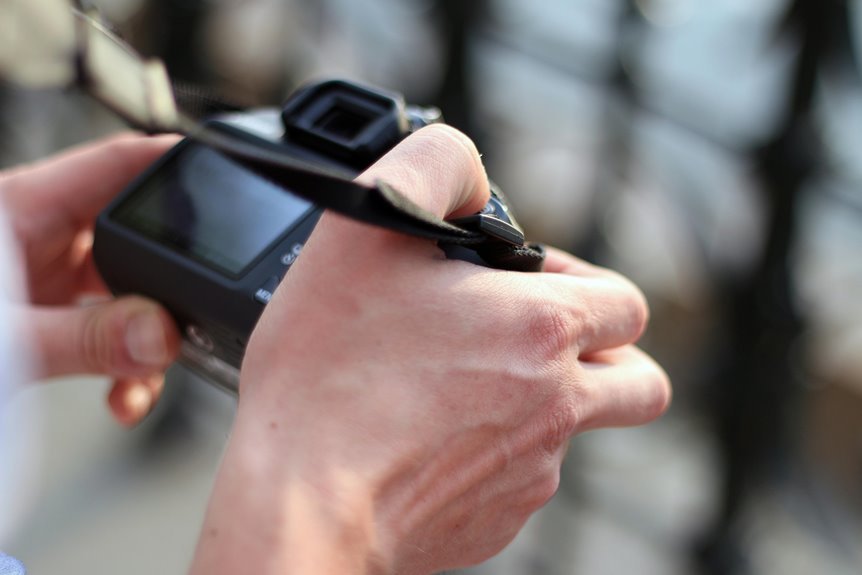

Autofocus is the camera feature that keeps your subject sharp. It works by locking focus on a chosen area or tracking movement across the frame. The right AF mode and focus point can turn a soft shot into a crisp one. A few quick setting changes often fix blur in low light, action scenes, and busy backgrounds.
What Does Autofocus Do?
How does autofocus help you take a clear photo without the stress of guessing? It finds your subject, checks focus, and adjusts the lens so your image looks sharp. That means you can stay present, trust your camera, and feel more confident with every shot.
At its core, autofocus handles two jobs. Initially, it figures out whether your subject is in focus. Then it moves the lens to correct it.
Some cameras use active distance methods, sending out infrared or sound to judge how far away the subject is. Others use passive detection, reading the scene itself without sending anything outward. Together, these systems help you react faster, especially when moments feel crucial.
Instead of second-guessing settings, you get to join in, capture the memory, and know your camera is working with you.
How Phase and Contrast Autofocus Work
Two main methods power passive autofocus, and each one helps your camera find sharp focus in a different way.
With phase alignment, your camera compares light from opposite sides of the lens. Should those light paths don’t match, it knows both the direction and the distance needed to correct focus. That makes phase detection quick and confident, which feels great as you’re trying to keep up.
Which Autofocus Mode Should You Use?
So which autofocus mode should you use at the moment matters and you don’t want the camera to guess wrong? Start simple. Use single AF for still subjects. Use AF-C whenever your subject moves and you need focus to keep up.
Switch to hybrid or subject detection as soon as your camera offers it, because it helps you feel more confident and connected to the moment.
- Choose single AF whenever you want calm, steady shots.
- Choose AF-C when action makes your heart race.
- Choose subject detection when you want support, not stress.
- Choose manual focus when light is tricky or autofocus myths confuse you.
That way, you stay in control without feeling left behind. You and your camera work as a team, and that shared rhythm helps your photos feel right.
How to Choose the Right AF Point
Where you place your AF point matters more than many people believe, because your camera will usually focus on that spot initially and build the shot around it. To get stronger results, place the point on the detail viewers care about most, often the nearest eye, a face, or a clear edge.
Then match the point to the subject’s size and position in your frame.
Should the camera miss often, check autofocus calibration before blaming your technique. That small fix can help you feel back in control.
Also, trust your judgment. You don’t have to let the camera guess once the scene is tricky. In low contrast, heavy backlight, or cluttered backgrounds, switch to manual focus or move the AF point to a cleaner area. That choice helps your images feel intentional and confident.
Should You Use Single-Point or Zone AF?
Once you’ve chosen the right AF point, the next choice is how much area you want the camera to watch for focus. Single-point AF gives you tight control and better focus accuracy, so it’s great whenever you want the camera to lock onto one exact detail, like an eye or a small subject.
Zone AF, sometimes called multi point, watches a wider area. That helps if your framing feels less certain or your subject might shift inside the scene. It’s a friendly option in case you want support, not stress.
- You feel confident when one point nails the shot.
- You feel relieved when zone sensitivity gives you backup.
- You feel included because your camera works with you.
- You feel proud when your images look sharp and intentional.
Pick the mode that matches your comfort.
How AF Tracking Keeps Subjects Sharp
Should your subject won’t stay still, AF tracking helps through following that movement and updating focus in real time. You stay connected to the moment because the camera keeps checking distance, direction, and speed as your subject moves across the frame.
As that movement continues, phase detection often leads the work. It predicts where focus needs to go, then drives the lens quickly so your shot stays crisp. In some cameras, active methods like infrared triangulation or ultrasonic distance support distance sensing, especially in simpler systems.
Together, these tools help you keep up with kids, pets, dancers, and everyday action without feeling left behind. You don’t have to fight your camera. You work with it. At tracking locks on well, you gain confidence, react faster, and capture the kind of sharp moments that make you feel truly in sync.
Best AF Settings for Portraits, Action, and Wildlife
For portraits, you’ll want AF settings that lock onto eyes fast and stay precise, so your subject looks sharp where it matters most.
For action, you need continuous tracking that keeps up whenever movement gets wild and timing feels tight.
And for wildlife, you’ll get better results whenever you match your focus area and subject detection to unpredictable motion, distance, and cluttered backgrounds.
Portrait AF Priorities
During the moment you shoot portraits, your autofocus should do one main job well: lock onto the nearest eye and stay there while your subject breathes, sways, or changes expression.
Turn on eye detection initially, then face recognition as backup, so your camera supports you like a trusted friend in the room.
To make portraits feel natural and connected, set your autofocus with care:
- Use single-point or small flexible area in case eye detection misses.
- Choose AF-C should your subject shifts gently between smiles and poses.
- Keep your focus point near the face, so the camera finds belonging fast.
- Use a wide aperture carefully, because sharp eyes and soft backgrounds feel intimate.
Once focus lands exactly where emotion lives, your portraits welcome people in and help them feel seen, safe, and beautiful.
Action Tracking Settings
How do you keep focus while the whole scene won’t sit still? You switch to AF-C, use phase detection or hybrid AF, and let subject tracking stay locked as movement changes. Choose a small zone or expanded point so your camera follows the player, dancer, or runner without grabbing the background.
Provided your camera offers sensitivity controls, lower them during obstacles cross the frame and raise them when subjects change direction fast.
That setup helps you feel in sync with the moment, not behind it. Turn on eye or head detection only once it stays reliable. In case focus still jumps, check lens calibration initially.
In tricky light, pre-focus, then guide the camera with manual focus for a beat before tracking resumes. Keep your shutter half-pressed, trust the system, and let your timing carry the shot home.
Wildlife Focus Strategies
As wildlife moves without warning, you need autofocus settings that react fast but still stay loyal to your subject.
Use AF-C with animal or eye detection, then pair it with phase detection for faster lock. That gives you strong motion prediction and smarter distance estimation whenever a bird banks or a deer steps through brush.
- Choose a small zone or expandable point so your camera follows the animal, not the branches.
- Raise tracking sensitivity as subjects dart, and lower it in case grass or twigs might interrupt.
- Use burst shooting because each frame gives you another chance to bring home the moment your group will cheer.
- Pre-focus near likely paths to cut delay and help your lens motor snap in fast, with less hunting and more confidence outdoors.
Why Autofocus Misses in Low Light and Clutter
During the moment light gets weak or the scene fills with busy details, your autofocus has a much harder job because it needs clear contrast or clean phase information to tell where true focus sits.
In dim scenes, sensor noise masks fine edges, so the camera can’t separate subject detail from random grain. Then, in clutter, leaves, fences, and patterned backgrounds offer too many competing lines, and the system might lock onto the wrong layer.
Because of that, you could see focus hunting as the lens moves back and forth, searching for a stronger signal. Contrast detection struggles once tones look flat, while phase detection loses confidence whenever light reaching its pixels gets thin or mixed.
You’re not doing anything wrong. These misses happen to everyone, and understanding why helps you feel more in control while scenes get visually messy fast.
How to Fix Common Autofocus Problems
Once autofocus starts acting up, you can usually fix it through solving one of a few simple problems: not enough light, the wrong focus mode, the wrong focus point, or a subject that moves faster than the camera expects.
Start with the easiest checks, then move deeper should misses continue.
- Add light or aim at stronger contrast so your camera can lock on with confidence.
- Match the mode to the moment: AF-C for motion, single AF for still subjects.
- Move the focus point onto your subject, because your camera can’t read your mind yet.
- In case problems stay, check lens calibration and install firmware updates for better accuracy.
These fixes help you feel back in control. You’re not failing. You’re learning what every photographer in the group learns sooner or later.
7 Autofocus Tips for Sharper Photos
Even though your autofocus works well, a few smart habits can make your photos look much sharper and more consistent. Start upon choosing a single focus point so your camera locks onto the exact detail you care about. For portraits, place it on the nearest eye. For action, switch to AF-C so focus keeps tracking along with you.
Next, steady your stance and half-press the shutter to let the system settle before shooting. Should results still seem slightly off, check lens calibration, especially with fast lenses. Good calibration helps your camera and lens work like a team.
In tricky light or through fences, use manual override to fine-tune focus without leaving autofocus completely. Also, keep your focus area clear, clean your lens, and match autofocus mode to the subject. That simple rhythm helps you belong behind the camera.
Frequently Asked Questions
Can Autofocus Drain Battery Life Faster During Extended Shooting?
Yes, autofocus can use battery power more quickly during long shooting sessions, particularly when continuous autofocus is active and the camera is repeatedly adjusting focus. You can reduce power use by avoiding unnecessary refocusing, limiting subject tracking, and switching autofocus off when it is not needed between shots.
Do Lens Motors Affect Autofocus Speed and Noise?
Yes. Lens motors affect autofocus speed and noise. Stronger motors move lens elements more quickly, and more advanced focusing systems lock focus faster and more smoothly. Less capable motors often search back and forth, create buzzing sounds, and can be distracting.
How Often Should Autofocus Systems Be Calibrated or Serviced?
Check autofocus calibration once a year, or sooner if you notice repeated focus errors, the camera or lens has been dropped, or you start using a different lens. Follow the service schedule listed by the manufacturer. If you shoot regularly, have the camera and lenses inspected every two years.
Can Filters or Adapters Interfere With Autofocus Accuracy?
Yes. Filters and adapters can affect autofocus accuracy. Filter quality, added glass, and adapter compatibility all influence focus performance, so it is smart to test the full setup as one system.
What’s the Difference Between Autofocus in Cameras and Smartphones?
Camera autofocus often uses dedicated focus sensors and lens systems built for quick subject tracking. Smartphone autofocus depends more on on sensor contrast methods, phase detection, and computational processing. Smartphones make focusing easy in a compact device, while cameras offer more precise control and stronger performance.